MIDI source/library root
Your original or unsorted MIDI/KAR collection. Source Index inventories this folder and Technical MIDI Scan reads the files.

The complete MIDI Manager 1.x workflow: first setup, durable Source Index, incremental Technical MIDI Scan, review, safe organization, playback, floppy IMG work and Library Health.
Install MIDI Manager with the platform-specific guide. After installation, start with a small copied test collection until you understand the workflow.
Your original or unsorted MIDI/KAR collection. Source Index inventories this folder and Technical MIDI Scan reads the files.
A different folder where approved safe copies are created. Never point this to the source folder.
Optional archive location used by archive workflows. Preview archive actions before doing any cleanup.
Destination for IMG files, reports, CSV/JSON exports and maintenance reports.
Open Settings → Settings. Configure the application paths first; Advanced settings stays collapsed unless you need specialist tuning.
Controls how many eligible source files are analyzed in one Library Organizer batch. It changes batch size, not file safety rules.
Controls the number of artists processed by the genre/artist maintenance pilot in one run.
Sets how many verified automatic database backups MIDI Manager retains. It does not delete MIDI/KAR files.
Open Settings → Licensing. This page shows the application version, licence status/tier, major-version compatibility, Organized Library limit and this computer’s Device ID.
Removes the locally stored signed licence from this computer only. It does not release the activation on the server; use device transfer/release for that.
Shows which licensed capabilities are enabled, blocked or limited for the current tier and why.
Releases the current device activation through the online licensing service so the licence can be moved according to the licence terms.
The Licensing page lists these grants for the active tier. The descriptions below use the same feature labels and explanations as MIDI Manager 1.2.2.
Allows the application to run outside a blocked or invalid-license state. This is normally enabled for all valid license tiers.
Allows browsing, filtering and searching indexed MIDI/KAR files. This is part of the basic MIDI Manager experience.
Allows MIDI/KAR playback from the application. Playback still depends on the configured SoundFont and playback setup.
Allows access to the Organized Library browser/player workflow.
Allows advanced Organized Library playback queue controls, including adding selected files to the playback queue, playing the queue and clearing the queue.
Allows basic Library Organizer workflows such as reviewing files and building the Organized Library within the active tier limit.
Allows larger/bulk Library Organizer workflows. This is intended for paid tiers because it can process much larger collections.
Allows Copy Guard archive tools that move verified source files into the configured MIDI Archive. This is powerful and should normally be reserved for Professional licenses.
Allows full 3.5 inch disk image creation workflows for DSDD/DSHD-style disk-image output. This is normally a Personal feature.
Allows opening and inspecting disk image contents from inside the application. Personal licenses get read-only IMG viewing; Professional licenses get the full IMG workflow.
Allows extracting, playing files from, adding/removing files in, and saving rewritten IMG disk images. This is a Professional-only workflow because it modifies or exports disk-image contents.
Allows Project Health and language validation checks in Maintenance. These are diagnostic checks, not archive-changing repair actions.
Allows advanced maintenance and repair tools. These tools can affect larger parts of the local library/database and are normally Professional-only.
Allows the secure license-transfer workflow, including releasing the currently licensed computer before activating another one.
Dashboard is the read-only control room for your collection. It keeps the most useful Organized Library, source, analysis, archive, review, compatibility, lyrics and playback figures visible at the same time; it does not replace the task pages with shortcut buttons.
The professional 1.2.2 shell uses the exact destinations below. Older names in historical screenshots or release notes are not navigation instructions.
Collection status and health.
Source Index, Technical MIDI Scan and Source inventory.
Review Queue and Failed analysis.
Analyze, plan, review, copy and verify safely.
Organized Library search and MIDI by Device.
Playback Queue and MIDI playback.
Create and inspect floppy IMG files.
Settings, Licensing and Library Health.
These are the eight panels visible in the 1.2.2 Dashboard. The ? button on a panel opens its matching explanation here.
Shows the managed output collection: total files, artists, favourites, file extensions, total size and missing managed files.
Splits the Organized Library into embedded lyrics, lyrics added/imported by MIDI Manager, confirmed no lyrics, unclassified lyrics state, synced lyrics and karaoke-ready files.
Physically scans the configured source folder for .mid, .midi and .kar files and combines that with indexed and lyrics classifications without treating unknown records as no-lyrics.
Summarizes completed, failed and remaining Technical MIDI Scan plus useful analysis/quality coverage.
Counts the configured physical MIDI Archive by extension and size and reports whether the archive folder is available.
Shows Review Queue, Failed analysis, missing Organized Library records and database health indicators that may need attention.
Summarizes GM, GS, XG and Yamaha, Roland and Korg evidence in a stable two-by-three layout.
Shows Playback Queue and lyrics/karaoke readiness useful before opening MIDI Player.
Open this reference for the individual analysis and coverage metrics used by Dashboard diagnostics. A ? link to one of these metrics opens this section automatically.
Analyze contains two tabs. Analyze Library contains Step 1, Source Index and Step 2, Technical MIDI Scan; Source inventory is the advanced lookup for indexed source records. Existing-database refresh and re-evaluation are under Settings → Library Health.
Total number of discovered MIDI and KAR files stored in the database.
Base enrichment stores core metadata such as track count, tempo, notes and basic MIDI structure.
Files with completed advanced MIDI intelligence: quality score, pattern analysis, hardware detection, velocity analysis and complexity metrics.
This includes both successful deep analysis and files that were classified as deep-analysis failures.
Files that are indexed but have not yet gone through the deep analysis worker.
These files remain indexed. Only the advanced analysis failed, usually because the file is corrupt, malformed or not really a MIDI file.
Review Queue is a safe staging list. It does not delete, move or modify MIDI files.
Counts MIDI/KAR files currently found in the configured organized library output folder.
Counts first-level artist folders that contain organized MIDI/KAR files.
Playback Queue is a safe listening queue. It does not delete, move or modify MIDI files.
Quality scores estimate MIDI usefulness based on structure, dynamics, complexity and musical richness.
Yamaha detection is based on SysEx manufacturer IDs and XG mode signals.
Roland detection is based on SysEx manufacturer IDs and GS mode signals.
Korg detection is based on manufacturer IDs. GM shows General MIDI reset/mode usage.
Analyze contains two tabs. Analyze Library contains Step 1, Source Index and Step 2, Technical MIDI Scan; Source inventory is the advanced lookup for indexed source records. Existing-database refresh and re-evaluation are under Settings → Library Health.
Source Index discovers supported MIDI and KAR files and creates or updates local database records. It records filenames, paths and basic source information; it is not the full MIDI analysis.
Advanced search of indexed source/unsorted records for diagnostics and pre-organization inspection. Normal collection search belongs to Library.
Step 2, Technical MIDI Scan opens only indexed MIDI/KAR files whose current technical analysis is missing or no longer current. It stores technical, quality, protocol, device and evidence data used by Review, Organize, Library and File Detail.
All database records created by Source Index.
Files whose full deep analysis completed successfully.
Files that entered the deep-analysis stage but could not be completed.
Files that could not be opened or parsed before deep analysis, for example missing or malformed files.
Use Review → Review Queue or Review → Failed analysis for files that need attention. Use Library → Organized Library for normal browsing and searching. Analyze → Source inventory is the advanced diagnostic view for indexed source records.
Files intentionally queued for later review. Removing a queue row does not delete the MIDI/KAR file.
Files whose analysis reached a failed final state. Loading runs in the background and a Please wait overlay appears when it takes noticeable time.
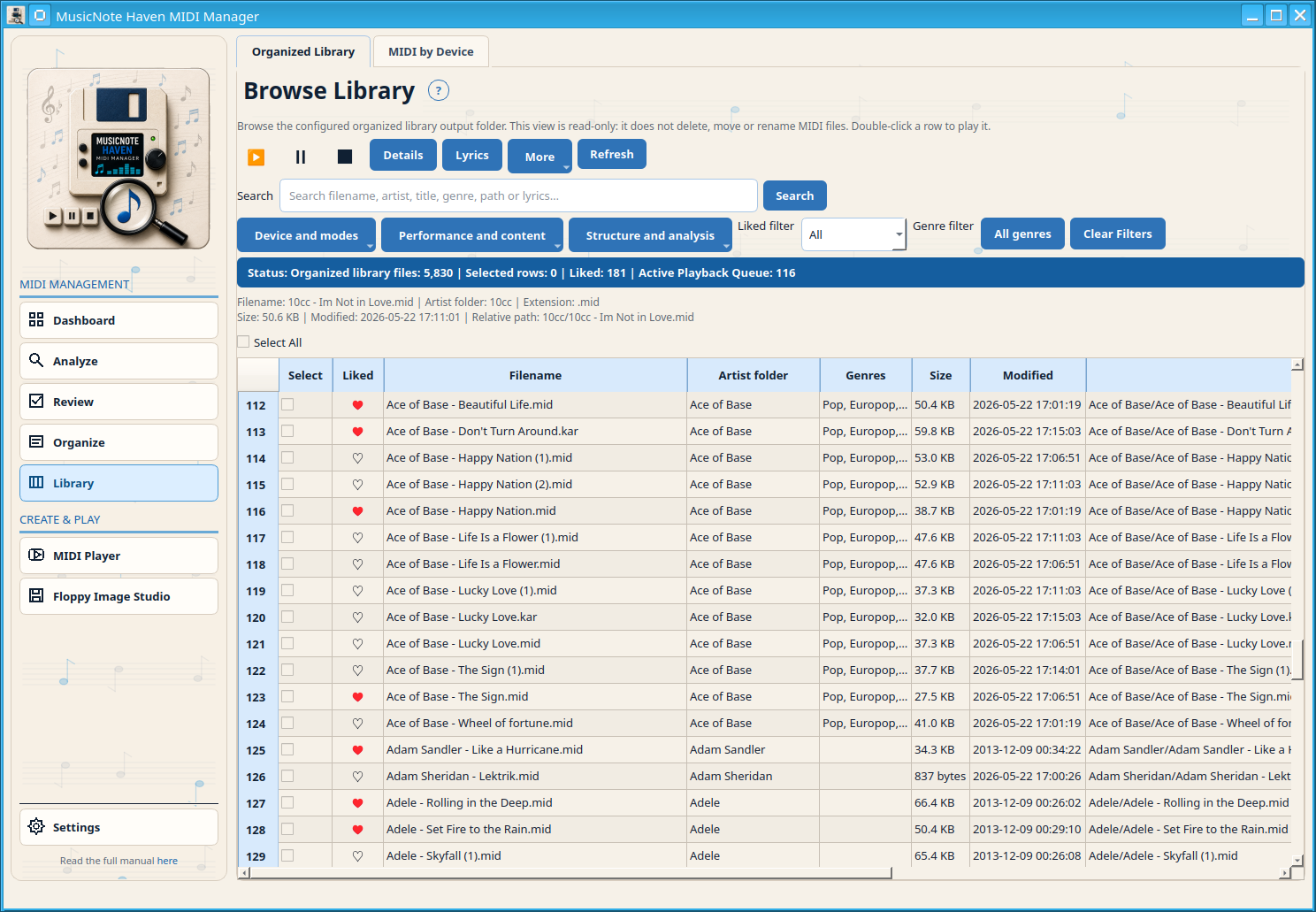
Search and filter the Organized Library: the managed collection intended for normal day-to-day lookup.
Browse analyzed MIDI files by detected manufacturer, mode and compatibility evidence such as Yamaha/XG, Roland/GS and Korg/GM.
Recognition combines filename and embedded metadata into artist/title hypotheses. It can use folder context and cleanup of karaoke suffixes and parenthetical title text as corroborating evidence. It selects the safest identity it can justify; it does not treat every plausible result as automatic.
Open Settings → Library Health → Advanced maintenance → Library intelligence & metadata. Re-evaluate Library rebuilds Recognition decisions against the current rules without requiring a new profile or a new database.
Recognition combines filename and embedded metadata into artist/title hypotheses and uses local reference evidence where available. Library Organizer keeps analysis, planning, review, corrected-copy planning, execution and archive cleanup separate. It can already work with the current-DONE subset while Technical MIDI Scan is still finishing other files; pending, stale and failed analysis rows are excluded.
Artist and title evidence is strong enough for a safe-copy plan. Always review the plan before execution.
The match is ambiguous or incomplete. A human decision is required before copying.
The row is intentionally excluded from automatic copying, for example because the match is weak or unsuitable.
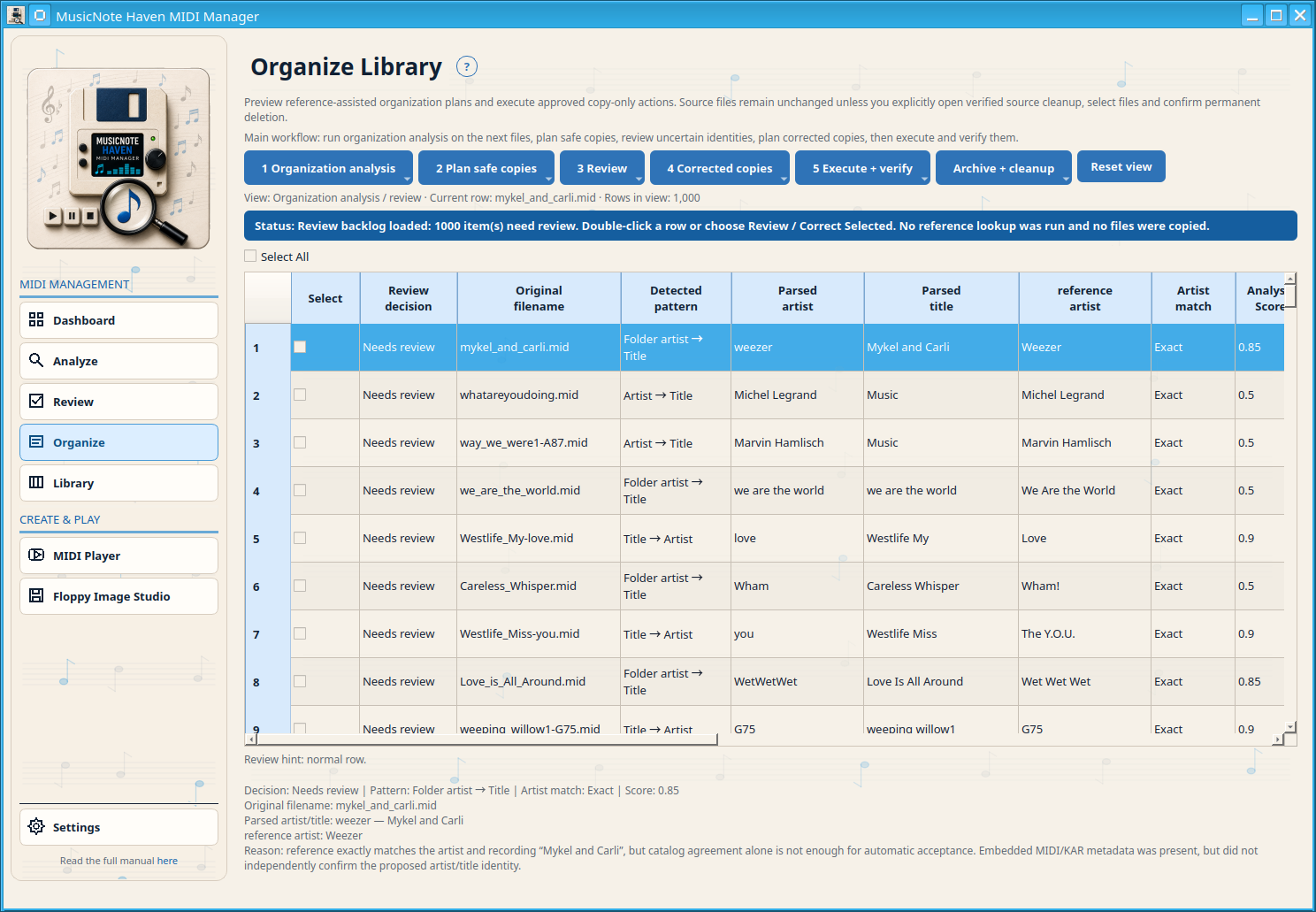
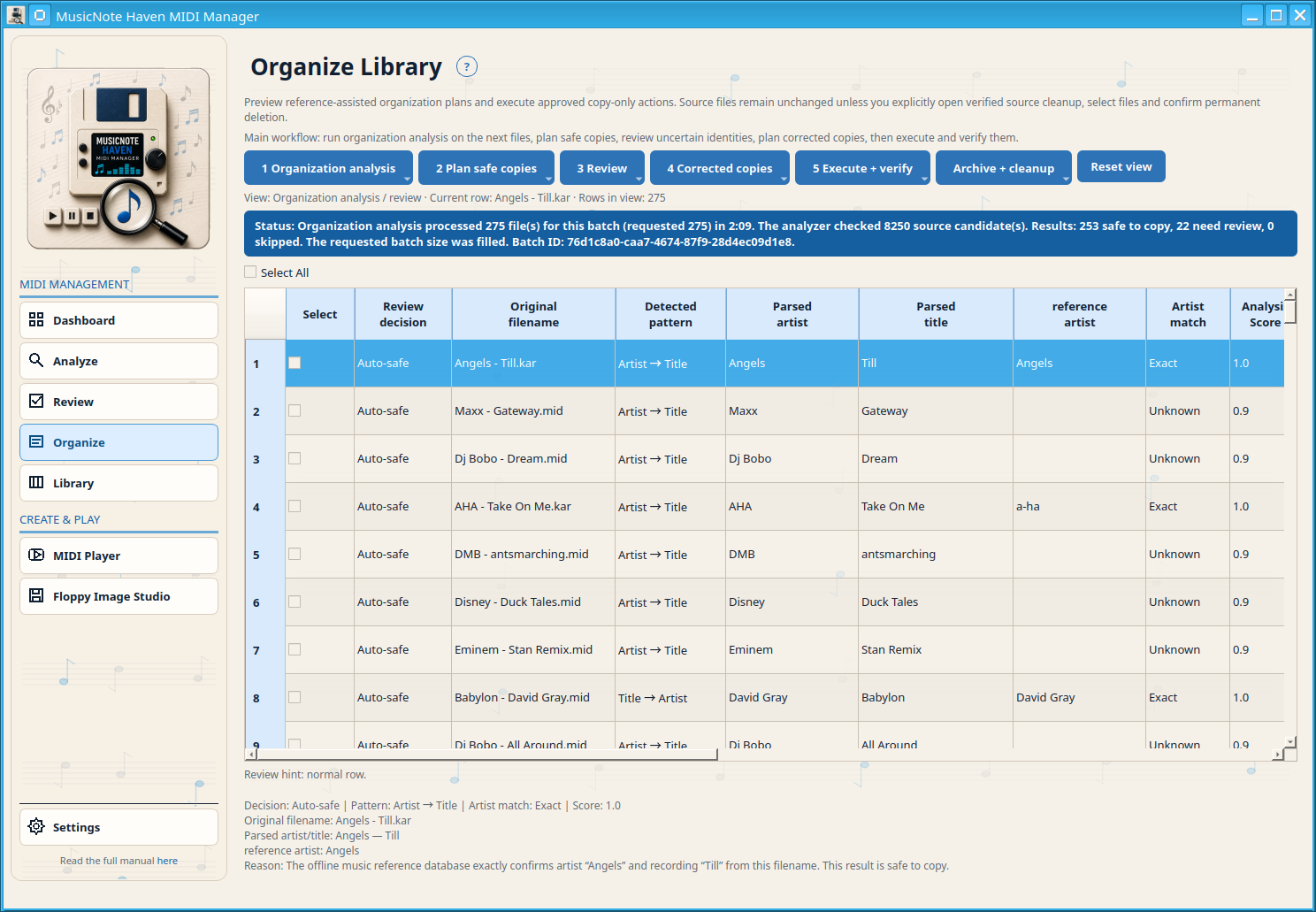
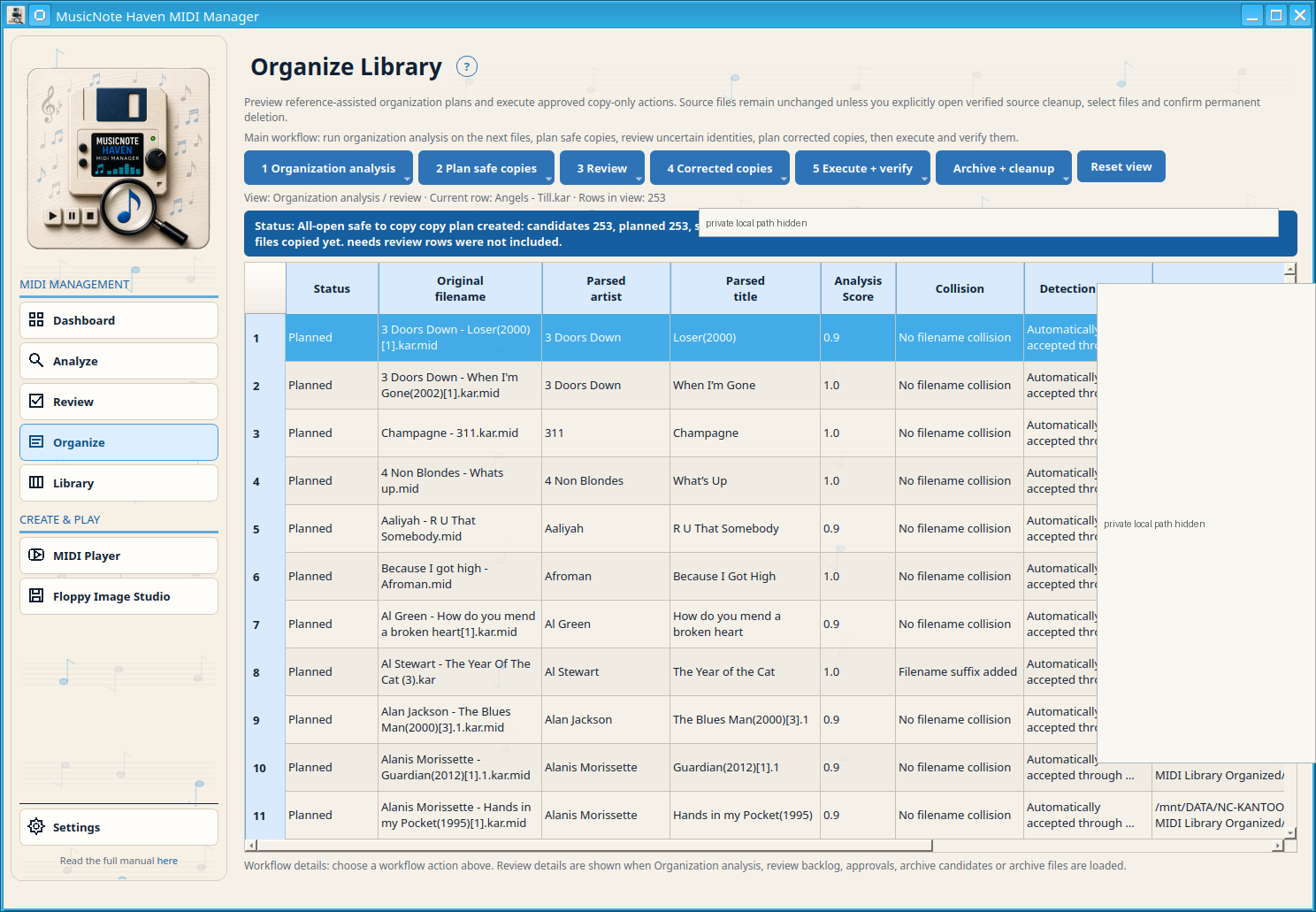
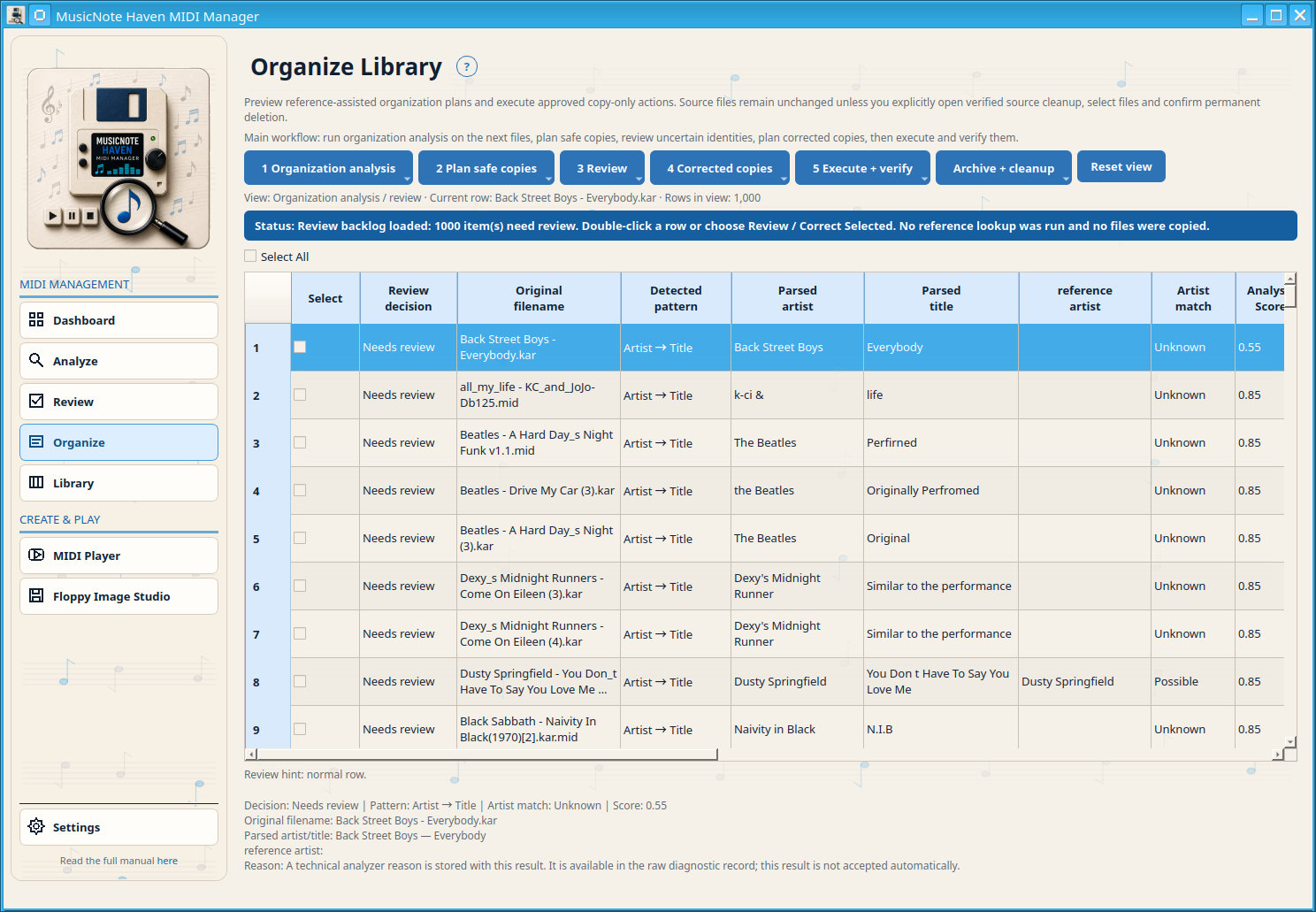
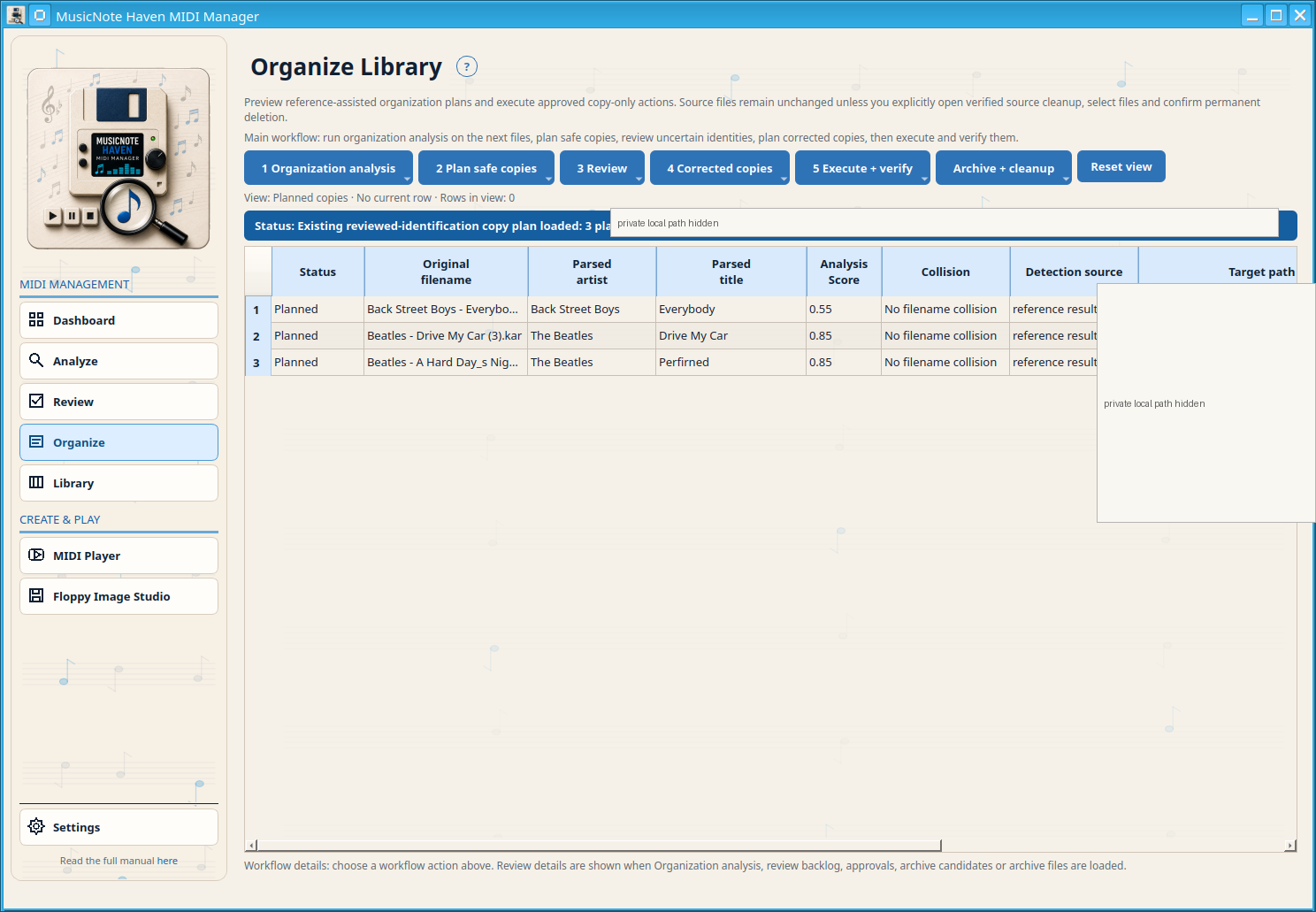
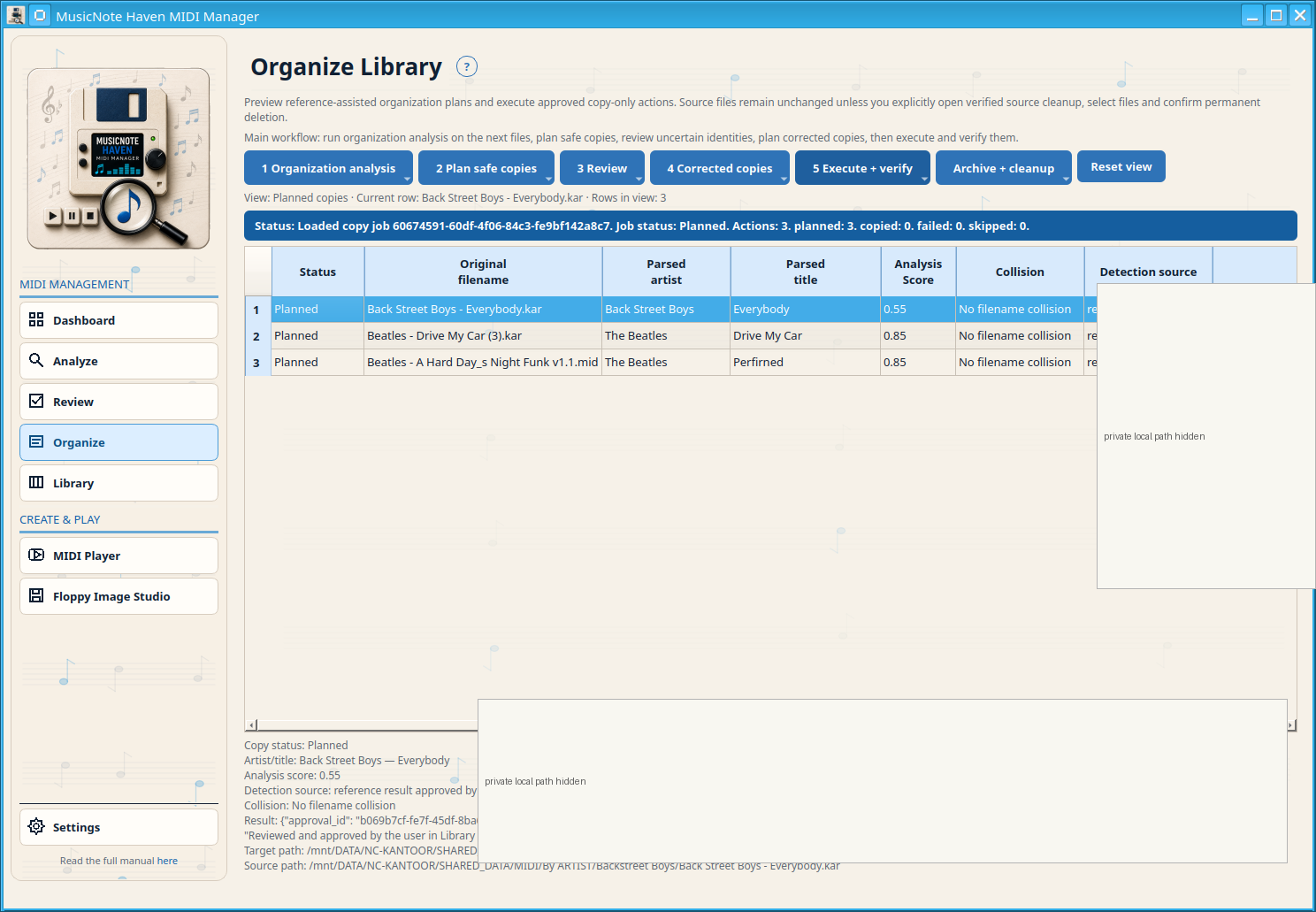
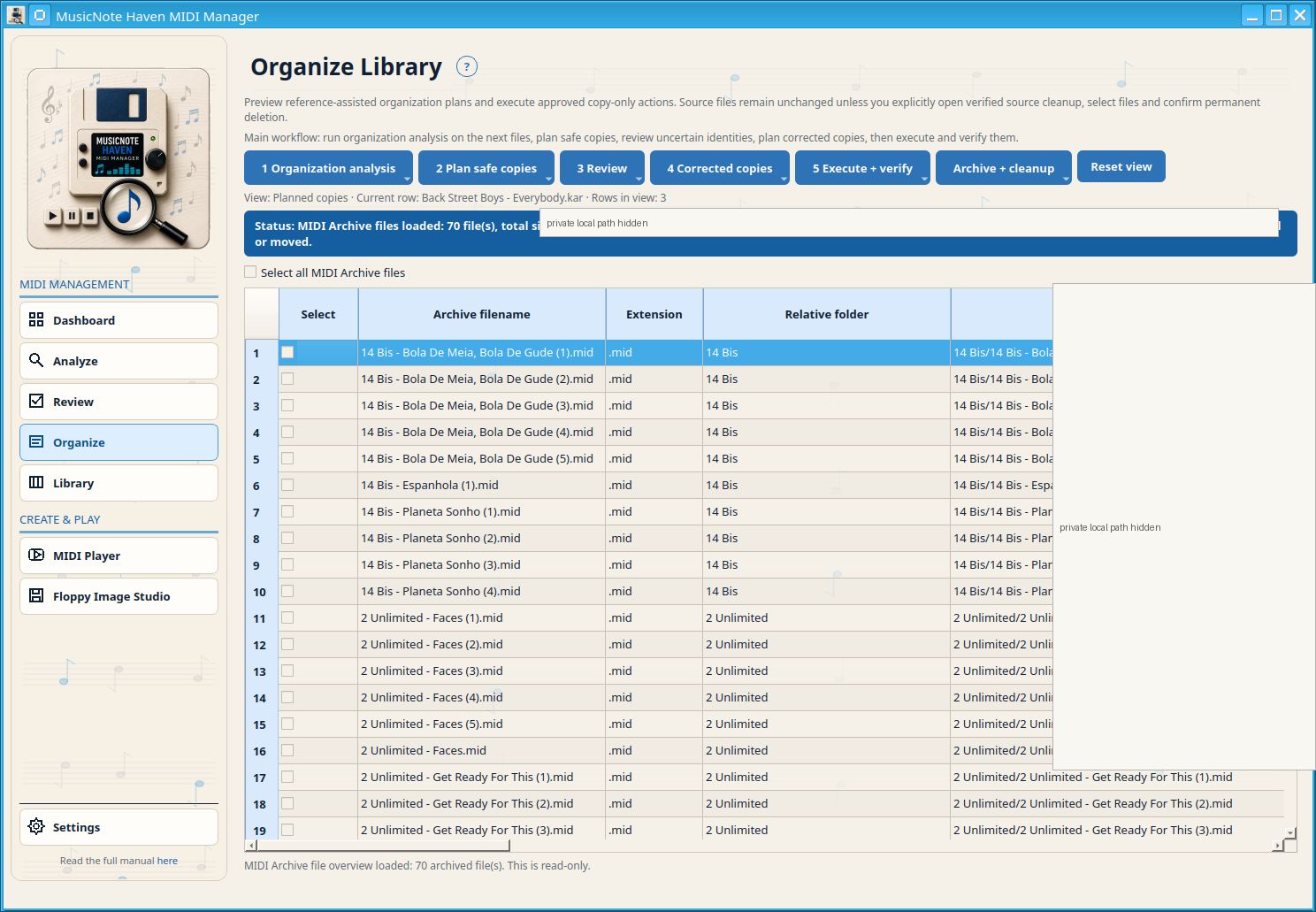
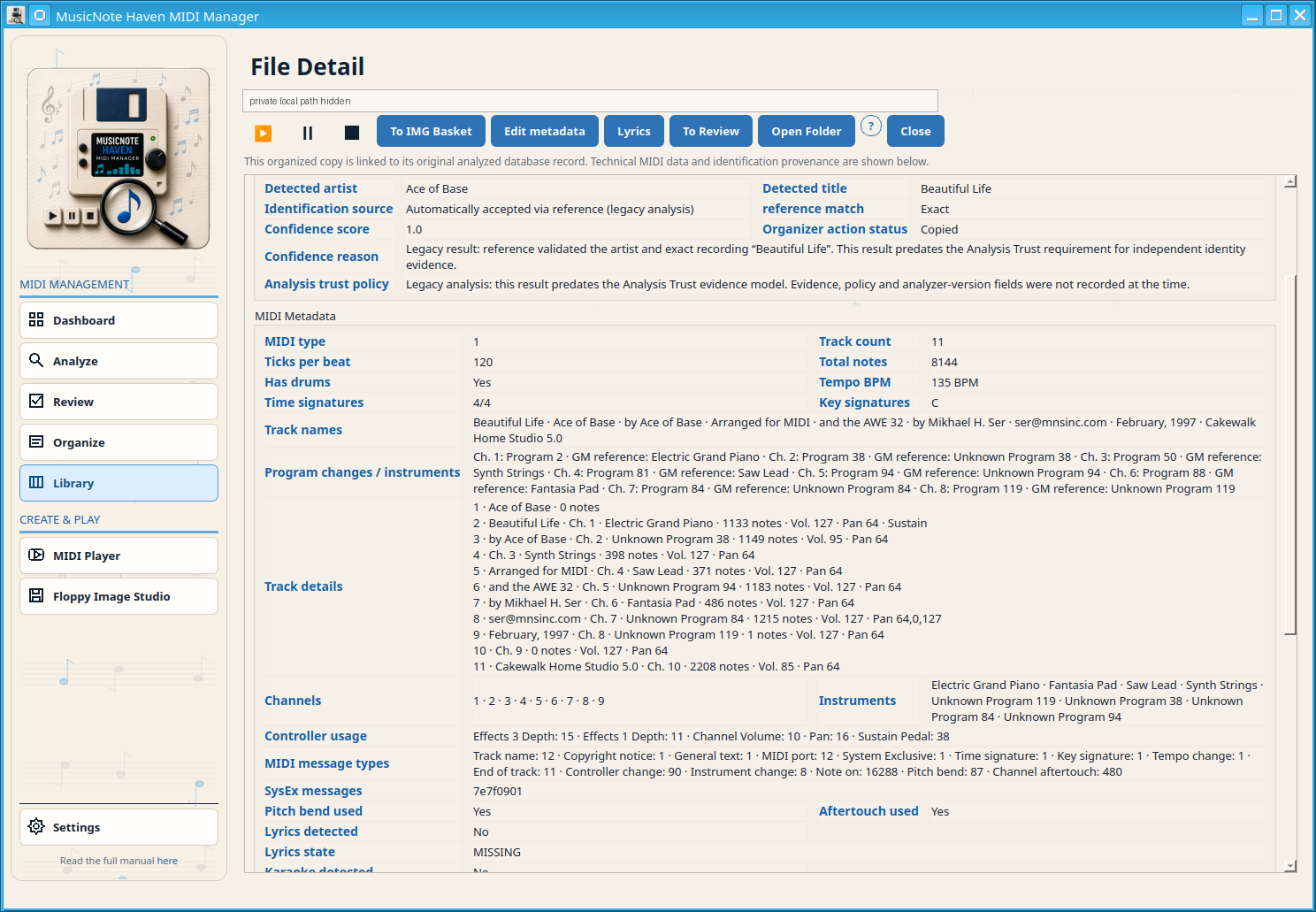
Library is the managed-collection workspace. Browse and search the Organized Library, inspect details, favourites, lyrics and metadata, and open MIDI by Device without switching to a separate top-level Search page.
Moves selected files physically from the configured Organized Library to the configured MIDI Archive. Path confinement, collision handling and byte/hash verification complete before database/index reconciliation; a failure keeps or restores the original state.
MIDI Player is the dedicated playback workspace. It owns the Playback Queue and shared playback transport; queue actions do not delete MIDI/KAR files.
Open the Playback Queue and use the shared MIDI playback controls. Queue operations never delete source or Organized Library files.
Disk Image Creator packs selected Organized Library or Review Queue files into FAT12 3.5-inch floppy images.
IMG Viewer opens FAT12 IMG files, uses the manifest when available and provides two complementary views.
The Reports tab uses the current Folder Catalog scan. Reports use the full scanned catalog, not only the rows currently visible after filtering.
Lists files in physical IMG order: disk, position, official song name and 8.3 name.
Keeps each disk separate but sorts songs by artist/title within that disk.
Creates one alphabetical finder across all scanned IMG files with disk and position references.
Separates technical warnings and errors from the finder reports. A clean scan reports that no warnings or errors were found.
Creates a slot-oriented index for Gotek/USB workflows when slot data is available.
Exports the master catalog as a spreadsheet-friendly table.
Exports structured catalog, disk, order and filename mapping data.
Genre data is optional enrichment. It does not change MIDI/KAR content.
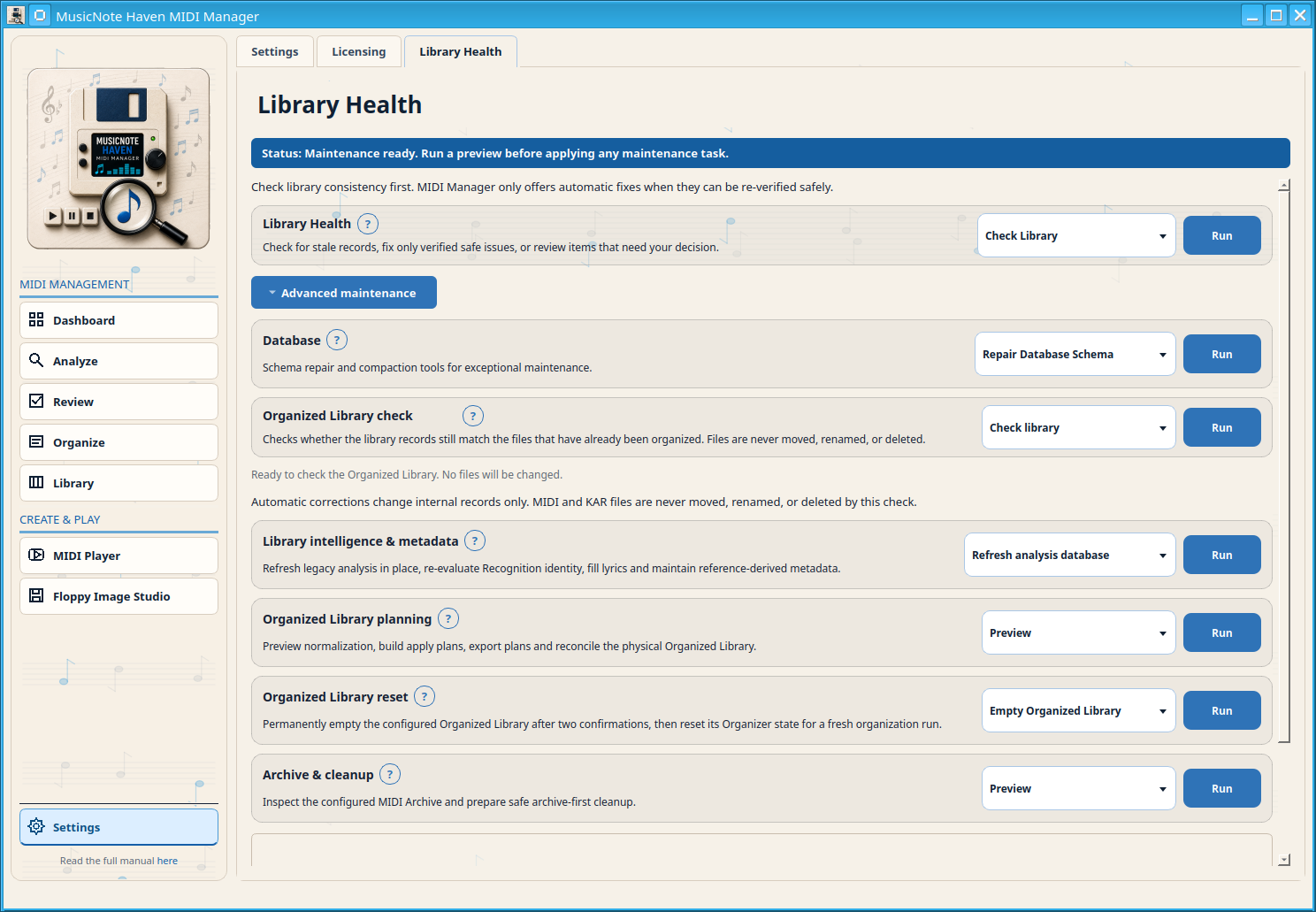
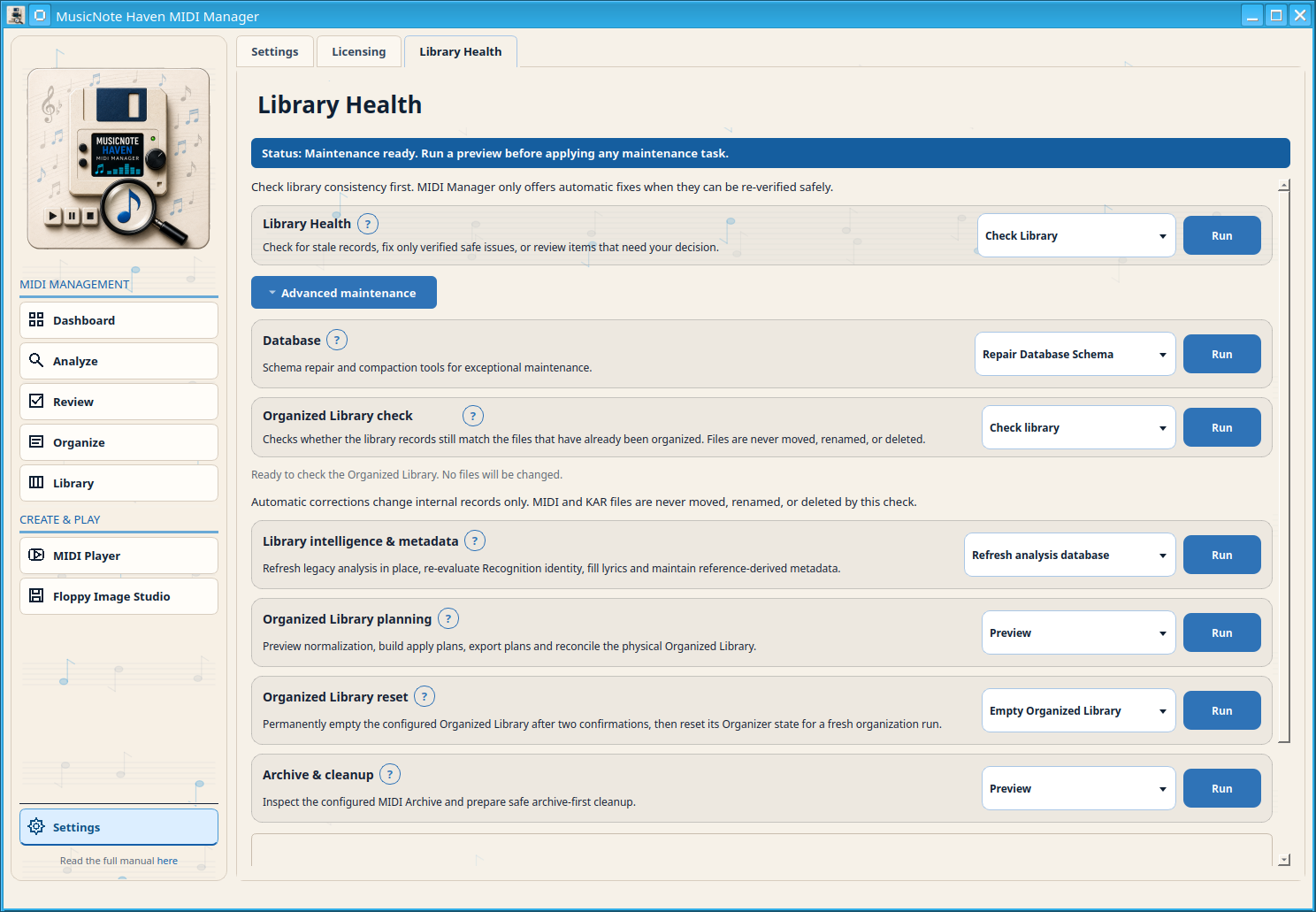
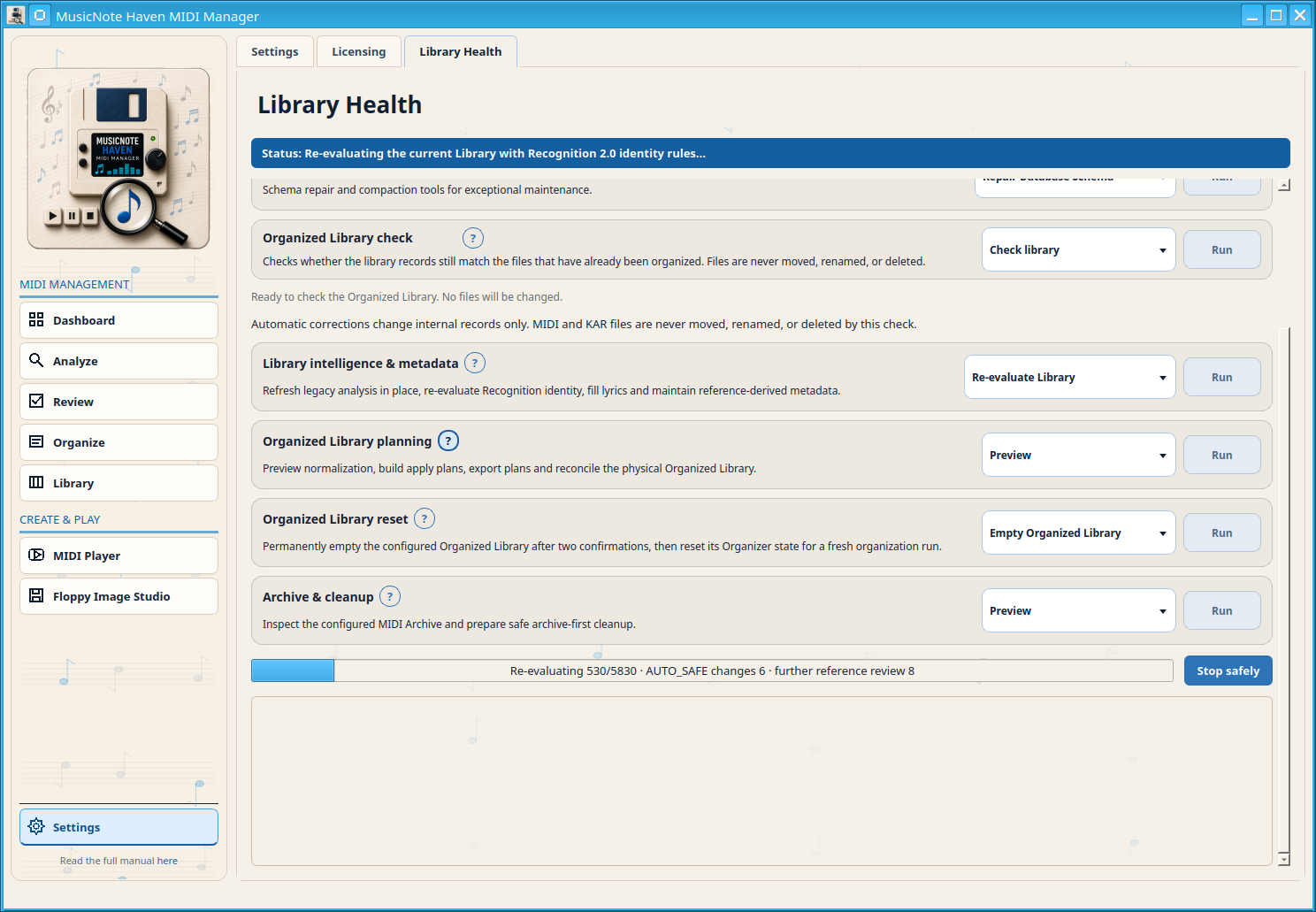
Open Settings → Library Health. Start with the compact Library Health check; expand Advanced maintenance only when you need Database, Organized Library check, Library intelligence & metadata, Organized Library planning, Organized Library reset or Archive & cleanup.
Check for stale records, fix only verified safe issues, or review items that need your decision.
Schema repair and compaction tools for exceptional maintenance.
Use Check library, Apply safe corrections and Show details to compare managed records with already-organized files.
Refresh legacy analysis in place, re-evaluate Recognition identity, fill lyrics and maintain reference-derived metadata.
Preview normalization, build apply plans, export plans and reconcile the physical Organized Library.
Inspect the configured MIDI Archive and prepare safe archive-first cleanup.
Open this reference when you need an individual maintenance action. Preview and diagnostic actions are read-only; actions that can change the database or files state their safeguards explicitly.
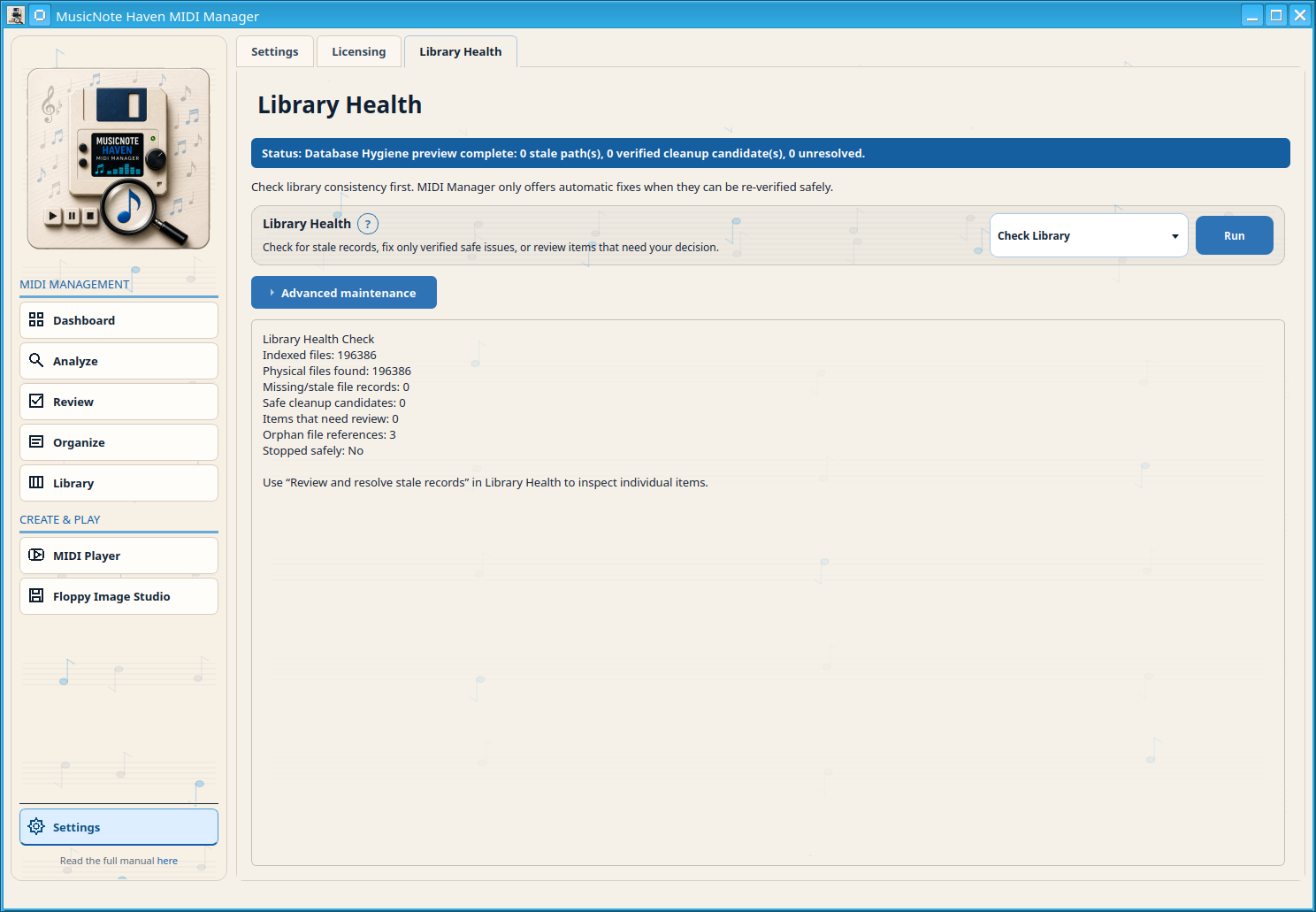
Scan database paths and classify issues without changing records or MIDI files.
Remove only stale test/technical records that are re-verified as safe after a fresh backup.
Review unresolved stale records and choose what should happen to each one.
Check and repair the local database schema safely. If the schema is already healthy, nothing is changed and no repair backup is created. If repair is needed, MIDI Manager creates a verified safety backup before adding missing local tables, columns or indexes. MIDI/KAR files are never changed.
Create a verified backup, clean verified database-only stale data, checkpoint WAL and rebuild SQLite through a verified compact copy. Exclusive maintenance creates a verified backup, checkpoints WAL, cleans verified stale derived data, builds a compact candidate with VACUUM INTO, checks integrity/foreign keys and replaces the active database only after verification. It never deletes MIDI/KAR files.
Re-run the current local analysis pipeline for every existing indexed MIDI/KAR row in this profile. A verified database backup is created first. Existing user state is preserved and MIDI files are not moved or renamed.
Scan the current Library again with the latest structured embedded-identity rules and store a read-only reconciliation preview.
Fill lyrics for the current Library from adjacent .lrc/.txt files first, then embedded MIDI/KAR lyrics. Missing lyrics remain available for manual or future configured provider lookup.
Rebuild local genre caches and add only strict, safe local backfill matches.
Runs the configured next-artist genre analysis pilot for the batch size set in Settings.
Dry-run scan of copied Organized Library files. Shows which target paths would be normalized. No files or database rows are changed.
Build a read-only collision-safe apply plan. Shows direct rename operations and automatic suffix rename operations. No files or database rows are changed.
Export the complete read-only collision-safe apply plan as TXT, TSV, and JSON into the configured Generated files folder. No MIDI files or database rows are changed.
Build a deterministic read-only database reconciliation plan from the existing Organized Library index and copied-action history. No files or database rows are changed.
Read-only preview of the configured MIDI Archive. Shows archive files, archived source actions, missing archive paths, indexed rows that still point to archived source files, and a cleanup-plan preview. This does not delete, move or change anything.
Support diagnostics are hidden unless support tools are enabled. They are not normal menu destinations.
Run a read-only check for missing local database tables, columns and indexes.
Run the read-only project health diagnostic script and show its output.
Validate language JSON files and show the validator output.